

What you’ll need
- An account at www.ruapi.ai — sign up with email, Google, Yandex or Telegram.
- A topped-up balance: from $5. USDT and USDC are accepted, as well as cards from foreign banks (Visa / Mastercard). No USDT yet? Buy it with rubles via SBP (Faster Payments System). Details are in the Top-up Guide.
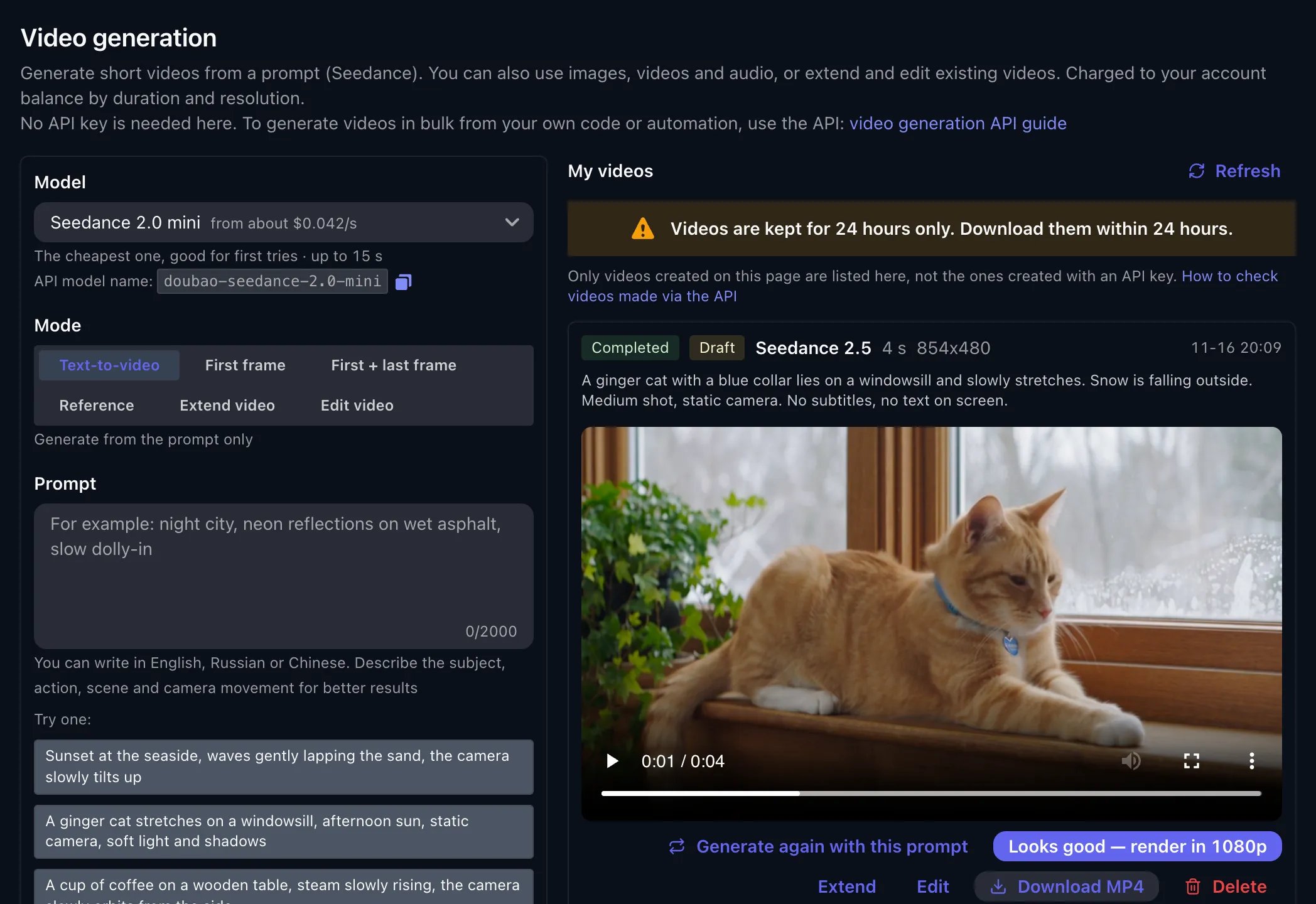
The Video generation page: settings on the left, finished clips on the right
Your first video in five steps
Open the page
Pick a model
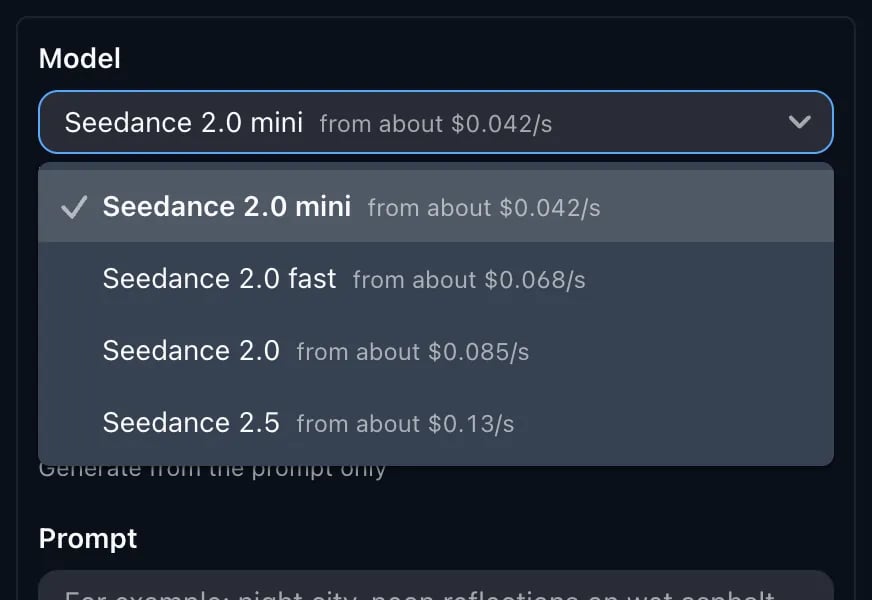
The model list shows the price per second
Write a prompt
Set resolution, duration and aspect ratio
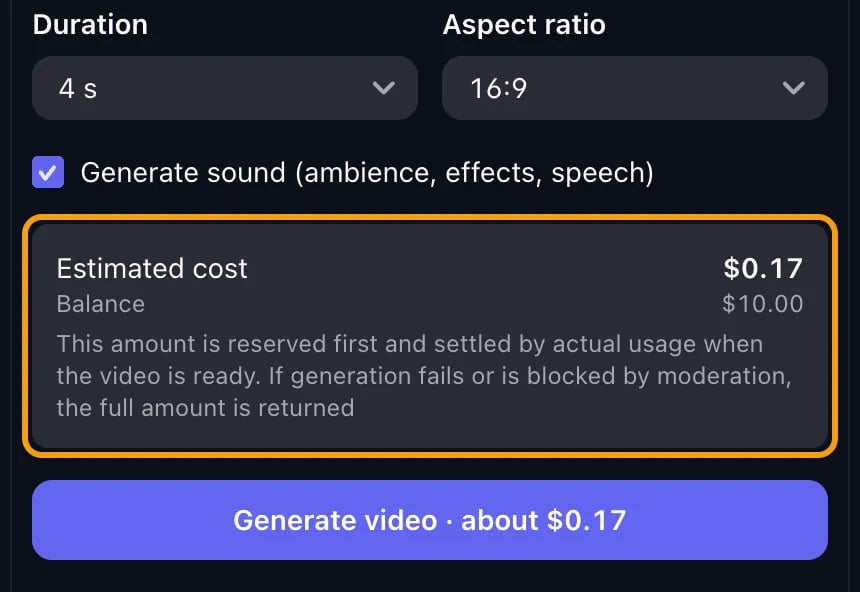
You see the cost before you start
Click Generate video
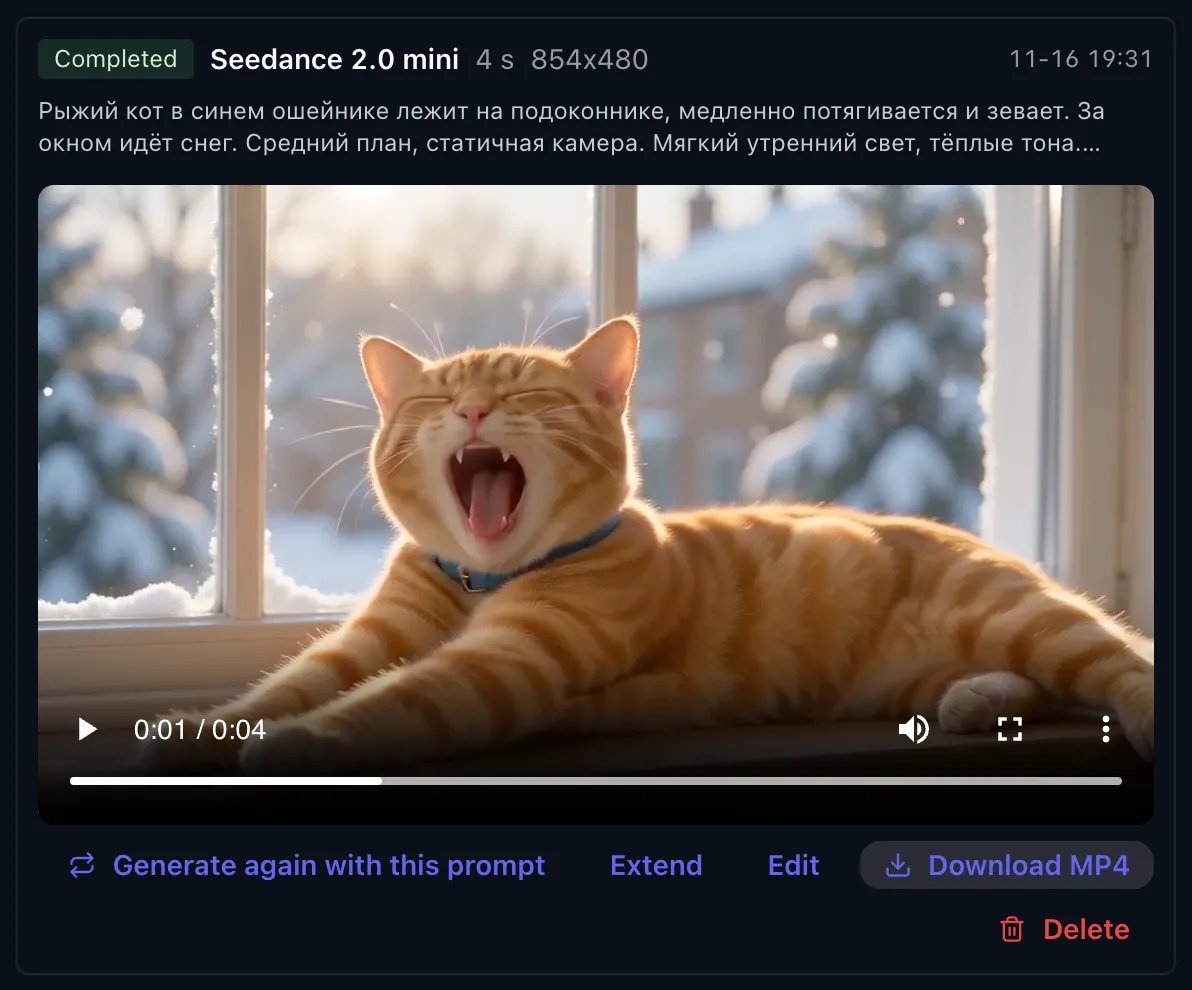
A finished clip: watch, download, extend or edit
Example clips
All three clips were made on this page at 480p, 4 seconds. The prompts are under each video; the first two are written in Russian.Seedance 2.0 mini, with sound — about $0.17
Seedance 2.5, with sound: a line spoken in Russian
{…} is what the character says out loud. For Russian speech, use Seedance 2.5: Seedance 2.0 mini sometimes garbles words. The woman in this clip is generated from text alone — no photo was uploaded; you can also upload photos and videos of ordinary people (see below).
Seedance 2.5, no sound
Generation modes
You pick the mode above the prompt field. Every mode except Text-to-video needs uploaded files.- Images — JPG, PNG or WebP, up to 10 MB each.
- Videos — MP4, up to 100 MB, each 2 to 15 seconds long.
- Audio — MP3 or WAV, 2 to 15 seconds long. Audio needs at least one image or video alongside it; only Seedance 2.5 can work from audio alone.
Extending or editing a finished clip
Every finished video under My videos has Extend and Edit buttons. They load the clip into the right mode for you — no need to download it and upload it again. All that’s left is to add a prompt:- to extend — which direction to continue in and what happens next: “Extend video 1 forward: the camera keeps pushing in, the person turns and walks into the distance”;
- to edit — what to replace with what, leaving the rest alone: “Replace the red car in video 1 with a white one, keep everything else unchanged”.
Which model to choose
How much it costs
There’s no subscription: you pay per clip. The price depends on the model, resolution and duration, and the page shows it before you start.- As a guide: 480p, 4 seconds is about $0.17 with Seedance 2.0 mini and about $0.52 with Seedance 2.5. Current prices are on the pricing page.
- Before the run, the amount is put on hold on your balance; after generation you’re charged for actual usage.
- If generation fails or the clip is rejected by moderation, the full amount goes back to your balance.
- If there’s a video in the input (reference, extend, edit), its duration is billed too. The page holds the maximum and returns the difference after generation.
Draft at 480p, then 1080p (Seedance 2.5)
Seedance 2.5 has a draft mode. Tick Make a draft first (480p, cheaper) and the clip is made at 480p. If you like it, click Looks good — render in 1080p on its card: the prompt, inputs and duration are taken from the draft, and you see the cost before it starts. You can turn a draft into 1080p within 7 days.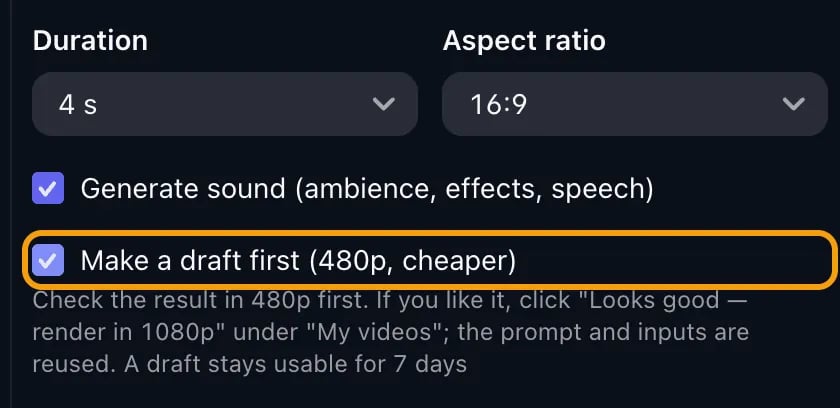
The draft checkbox under the settings
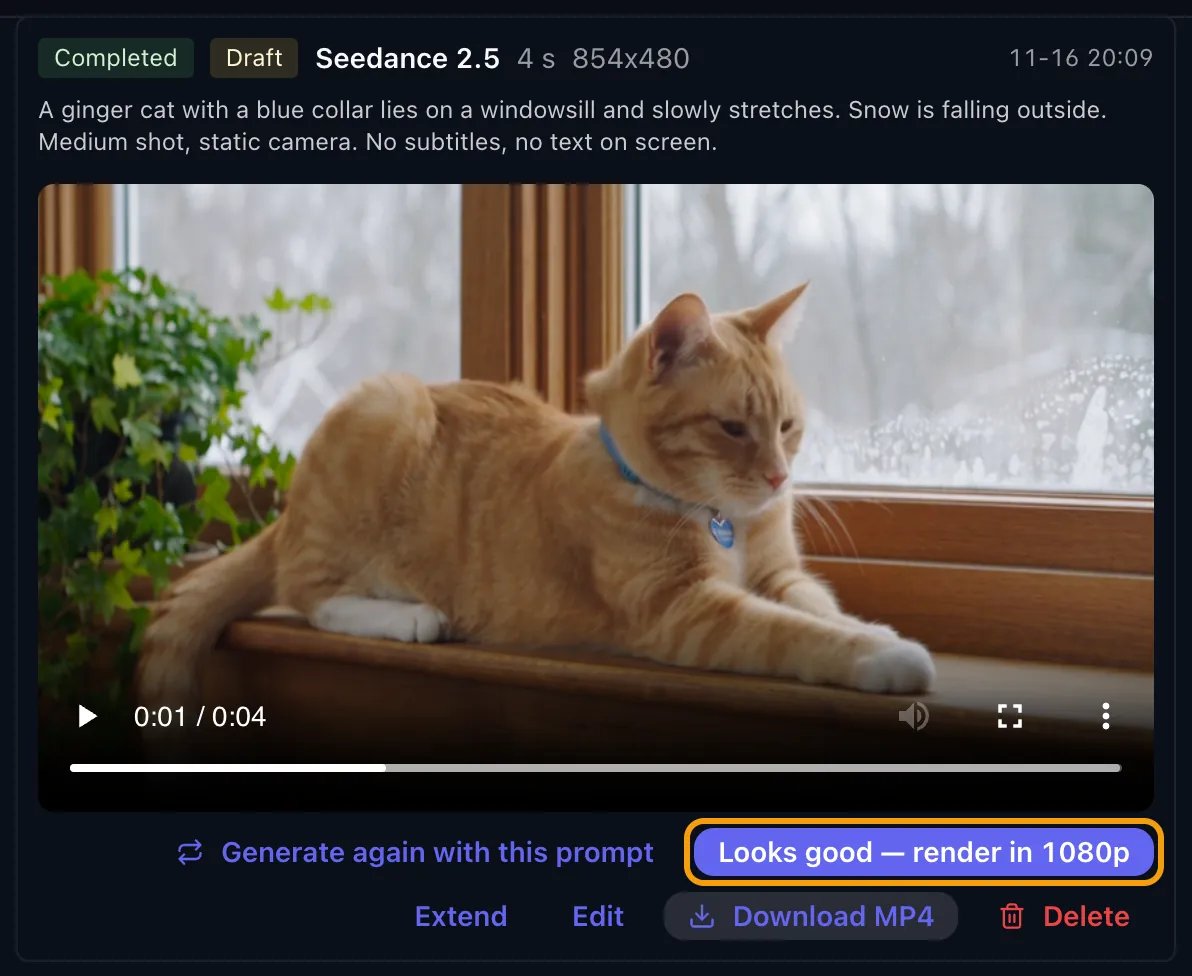
Happy with the draft? One click to 1080p
Videos from photos and videos of real people
Photos of ordinary people (not celebrities) can usually just be uploaded — no box to tick. You only need to tick The image shows a real person (not a public figure) under the upload with Seedance 2.0 mini and 2.0 fast in the Reference and First + last frame modes; otherwise moderation blocks the photo. The check may add 1–2 minutes. If a photo still gets blocked, tick the box and generate again. Celebrities and characters from films, TV series and games won’t pass. Rejected tasks aren’t charged. If an input video (reference video, Extend, Edit) shows real people’s faces: Seedance 2.0 or 2.5 usually accept it, while mini and fast are blocked by moderation (you aren’t charged) — the failed video card has a one-click switch to Seedance 2.0. Input videos must be at least 480p (720p for 4:3 and 21:9). The error is explained in Seedance: “input image may contain real person”.FAQ
Do I need a VPN?
Do I need a VPN?
Is there a subscription or free generations?
Is there a subscription or free generations?
Can I write the prompt in Russian?
Can I write the prompt in Russian?
Does the page work on a phone?
Does the page work on a phone?
How long does it take?
How long does it take?
Where are the videos I created through the API?
Where are the videos I created through the API?
The video won't play or it says “Expired”
The video won't play or it says “Expired”
My task was rejected by moderation. What now?
My task was rejected by moderation. What now?